
Looking for an honest M1 Finance review before you sign up? M1 sits in an unusual spot between a hands-off robo-advisor and a fully self-directed brokerage: you choose your own investments, organize them into “Pies,” and M1 automates the buying, selling, and rebalancing for you. This review breaks down the real fees, how the Pie system works, and who it actually fits.
M1 Finance is best for beginners who want to set a custom portfolio allocation once and then automate everything after that — deposits, rebalancing, and dividend reinvestment all happen automatically inside your “Pie.” The catch is a $3 monthly platform fee for accounts under $10,000, which effectively makes M1 free once your balance crosses that threshold.
Open an M1 Finance Account →
Opening an account is free. MyFirstBroker may earn a commission if you sign up through this link.
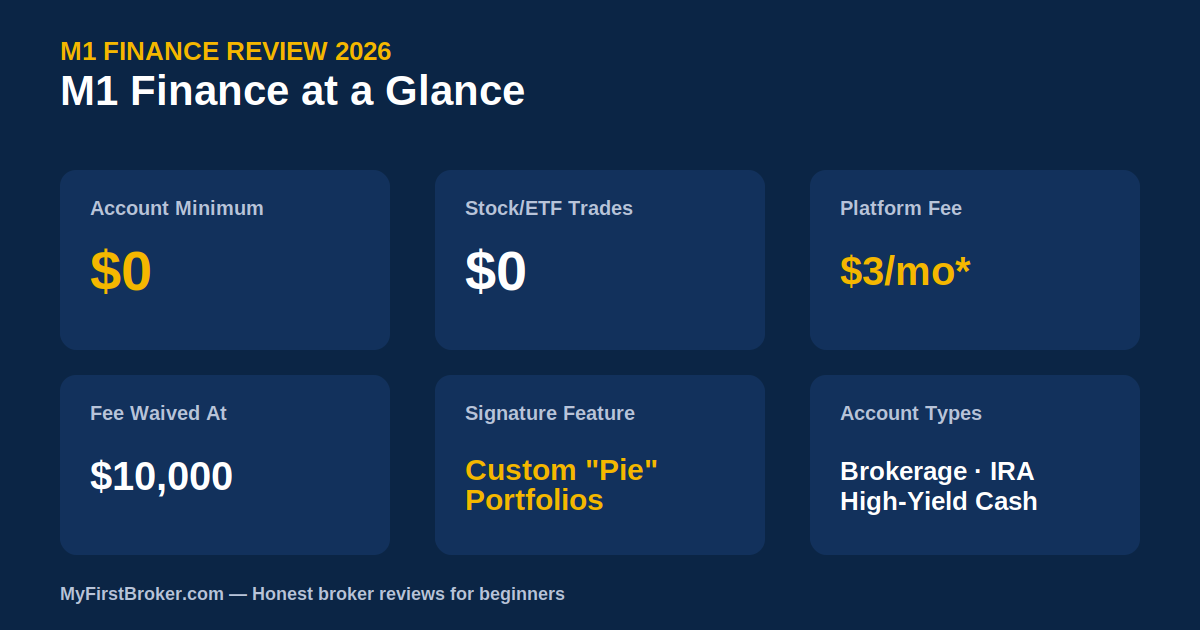
M1 Finance at a Glance
- Account Minimum$0
- Stock/ETF Trades$0 commission
- Platform Fee$3/month (waived at $10,000+ in assets)
- Fractional Shares✓ Yes, from $1
- Account TypesBrokerage, Roth & Traditional IRA, High-Yield Cash
- Signature FeatureCustom “Pie” portfolios with auto-rebalancing
- Automatic Tax-Loss Harvesting✗ Not available
M1 Finance Review: How Much Does It Actually Cost?
This M1 Finance review found one primary cost to understand clearly: the $3 monthly platform fee. It applies to accounts with less than $10,000 in total assets, and a separate $3 IRA fee applies to retirement accounts under the same threshold — though M1 only ever charges one $3 fee per month total, never both at once.
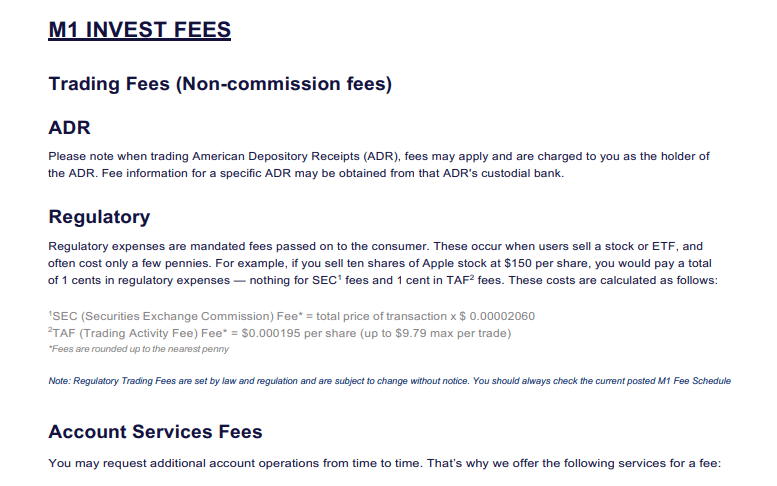
Where costs can appear:
- $3 monthly platform/IRA fee: Waived automatically once your total M1 assets reach $10,000 on any single day during your billing cycle, or if you have an active M1 Personal Loan.
- M1 Borrow (margin): Interest applies if you borrow against your portfolio through M1’s Premium margin feature — this is optional and most beginners won’t use it.
- ETF expense ratios: Like any brokerage, the ETFs you hold inside your Pie carry their own expense ratios, typically 0.03%–0.5% annually. This is an investment cost, not an M1 fee.
For a beginner starting with a small amount, that $3/month can feel like real friction — on a $1,000 balance, it works out to roughly 3.6% annually, which is high compared to any other broker on this list. Once you cross $10,000, the fee disappears completely.
How the “Pie” System Works
M1’s core feature is the Pie: a visual portfolio where you assign a percentage to each stock or ETF you want to hold. When you deposit money, M1 automatically buys enough of each holding to keep your Pie balanced to your target percentages — no manual rebalancing required. You can build your own Pie from scratch or start from one of M1’s expert-designed templates.
Account Types Available
- Brokerage Account: Standard taxable account for building a custom Pie.
- Roth & Traditional IRA: Both available, subject to the same $3 monthly fee structure as brokerage accounts.
- M1 High-Yield Cash Account: Holds uninvested cash while earning interest, FDIC-insured through M1’s partner banks.
Pros and Cons
✓ Pros
- $0 account minimum and $0 trading commissions
- Fractional shares from $1
- Automated rebalancing keeps your portfolio on target
- Custom “Pie” system gives more control than a typical robo-advisor
- Fee disappears entirely once your balance hits $10,000
✗ Cons
- $3/month fee is costly as a percentage of very small balances
- No automatic tax-loss harvesting
- Less beginner guidance than Fidelity or Schwab
- Best suited for investors who already know roughly what they want to hold
Who Is M1 Finance Best For?
M1 Finance works best for beginners who already have a rough idea of which stocks or ETFs they want to hold, and want the deposits and rebalancing automated from there. It’s a strong middle ground between a fully hands-off robo-advisor and a self-directed brokerage that requires you to manually rebalance.
How Does M1 Finance Compare to Other Brokers?
Curious how M1 Finance stacks up against other options? See our head-to-head comparisons: M1 Finance vs Robinhood, M1 Finance vs Acorns, M1 Finance vs SoFi, and M1 Finance vs Vanguard.
If you’re starting with a small amount and want to avoid the $3 monthly fee altogether, a broker like Fidelity or Robinhood charges nothing regardless of your balance.
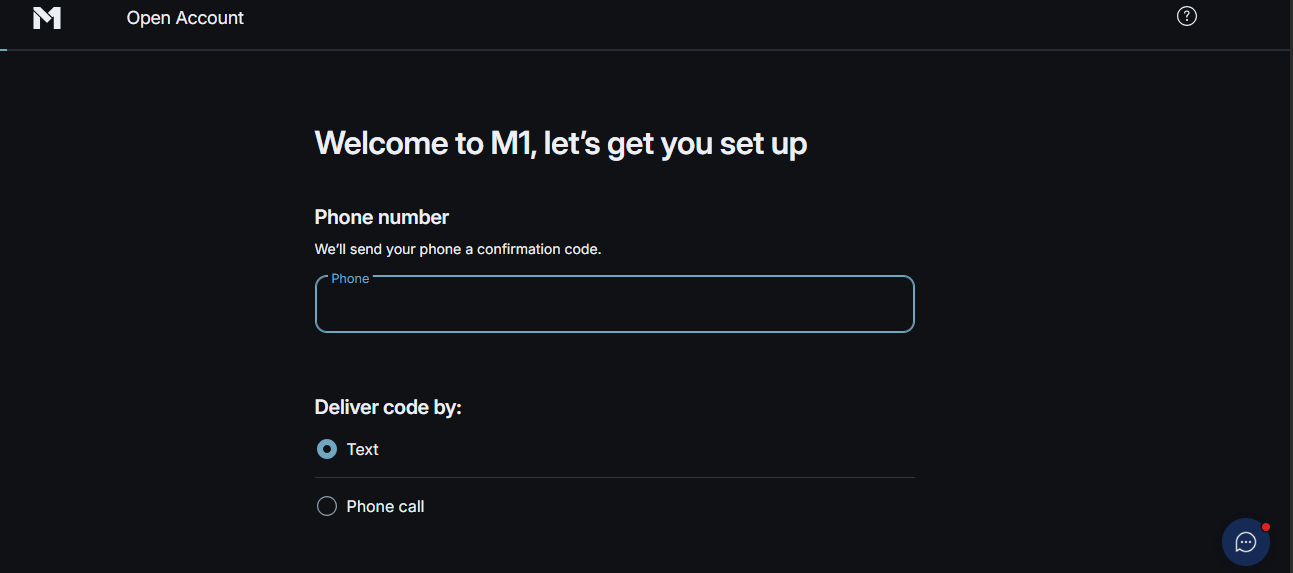
How to Open an M1 Finance Account
- Go to M1’s website and select “Get Started.”
- Choose your account type — a brokerage account or Roth IRA are common starting points.
- Enter your personal information — name, address, Social Security number, and employment details.
- Build or select a Pie — choose your own stocks and ETFs, or start from an expert template.
- Link your bank account via ACH transfer and make your first deposit.
Frequently Asked Questions
Does M1 Finance have a minimum deposit?
No, you can open an account with $0 and start investing with as little as $1 per holding thanks to fractional shares.
How do I avoid M1’s monthly fee?
Keep your total M1 assets at or above $10,000 on at least one day during your billing cycle, or have an active M1 Personal Loan. Either condition waives the fee automatically.
Does M1 Finance charge inactivity fees?
No. M1 does not charge a fee for leaving an account idle, beyond the standard platform fee rules described above.
Is this M1 Finance review up to date?
Yes. This M1 Finance review reflects fees and features confirmed as of mid-2026. Fee schedules can change, so always confirm current details in M1’s official fee disclosure before opening an account.
Want to see how M1 compares to other platforms? Read our Fidelity Investments review, our Robinhood review, or check the full comparison of the best online brokers for beginners in 2026. For general investor protections that apply across U.S. brokers, see the Investor.gov guide to investing basics.
Open an M1 Finance Account →
Opening an account is free. MyFirstBroker may earn a commission if you sign up through this link.